Saturday, September 20, 2014

My Interactive Math Notebooks and Guided Notes

I have blogged previously about my Interactive Math Notebooks and how they have evolved over the years.  After tweaks and adjustments I have finally found the most effective way for my students.

The last few years, I used a team pencil boxes to hold the color pencils. This year I invested in plastic slider pencil boxes and color pencils for each of my students.  This was by far my best investment ever. The students' guided notes are printed back to back and kept in three-prong folders.

I have created all of the Math 8 Common Core Guided Notes for my students.  They are designed to be filled in and color-coded by the students as I explain the concept.  These type of guided notes are effective because they are not very time consuming and the students are able to use them as a valuable study aide.  The color-coding helps the students to see the connections between the vocabulary and the diagrams, and this helps with their understanding of the math concepts they are learning....  :o)

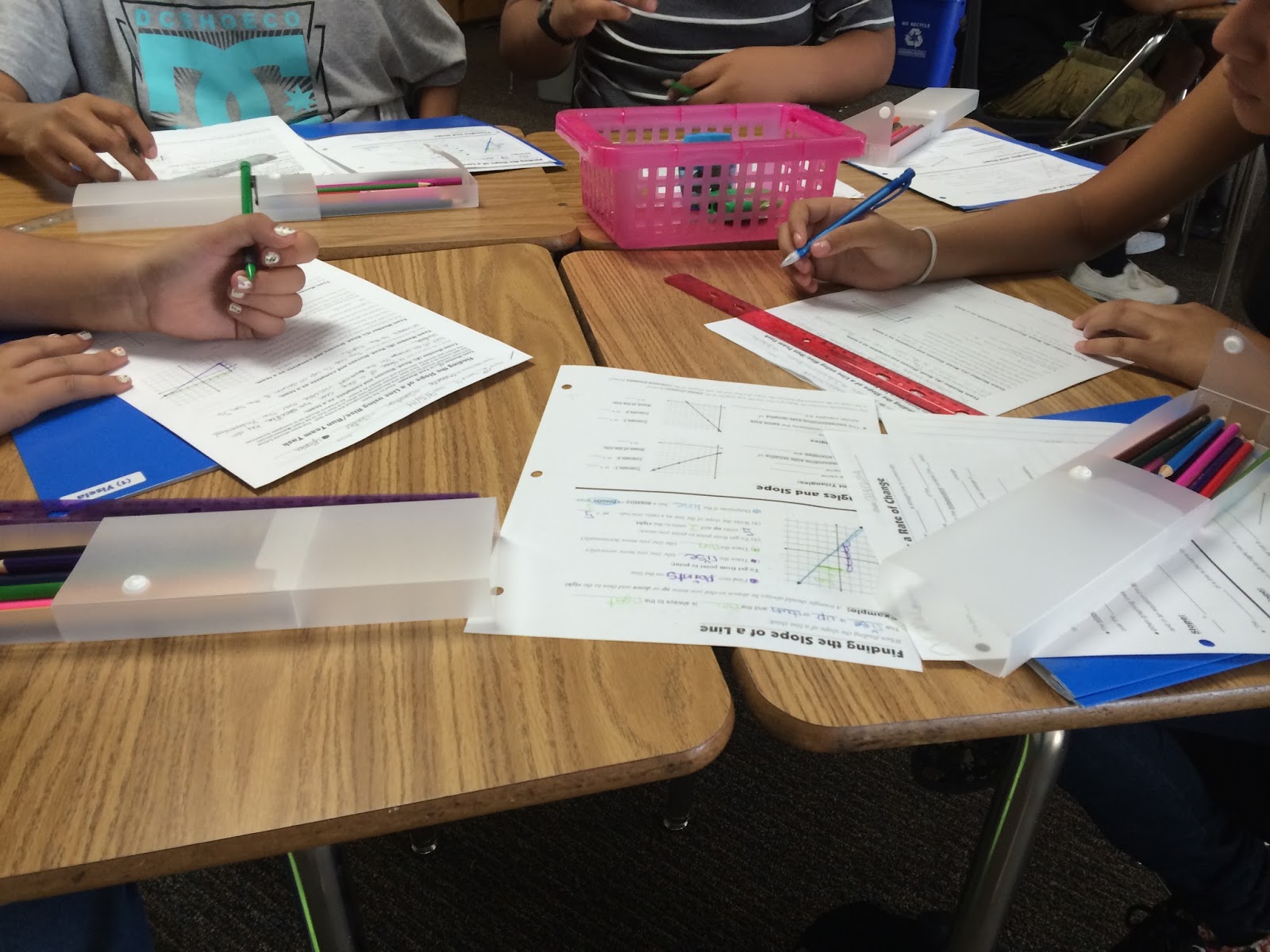
Here are examples of my students taking guided notes this year.


Here are examples of my students' Interactive Math Notebooks.  The first page is A Letter to my Students.  Then they have the Collaborative Team  Roles, Problem Solving in Math &Writing about Math and the Student Friendly Standards for Mathematical Practices.


Here are examples of my students' Interactive Math Notebooks and their color-coded guided notes.


Sunday, September 14, 2014

1:1 iPads, Math Support and the Slope of a Line. Featuring @showbie, @classflow, & @socrative

I have previously blogged in detail about the apps and resources that are the center of my 1:1 iPads Math Support class. These comprehensive blog posts are full of information about these valuable resources. Check out: iPads and Math 

This week in my 1:1 iPads Math Support Class the math concept that was focused on was:

Finding the Slope of a Line Using Rise/Run to set the students up for CCSS. 8.EE.6 and then 8.EE.5 and  8.F.3.

Using Edmodo
I use Edmodo for the students to reason and type written responses in complete sentences.  The students do a "Math Reflection" at the beginning of class and a "Ticket Out the Door" at the end of class.  I can also motivate and encourage students, by leaving comments and giving Edmodo badges...

Students using Edmodo.


Using Showbie
As you have read in my previous blogs and in my tweets... I absolutely love Showbie... There are infinite reasons why Showbie is so awesome, Please read my previous blogs, because I have given very comprehensive descriptions on how I use Showbie to its fullest potential.

One of my favorite things about Showbie is that the students love it because it is easy to use, and it it helps keeps the students on track. But more importantly I can easily create and track assignments.

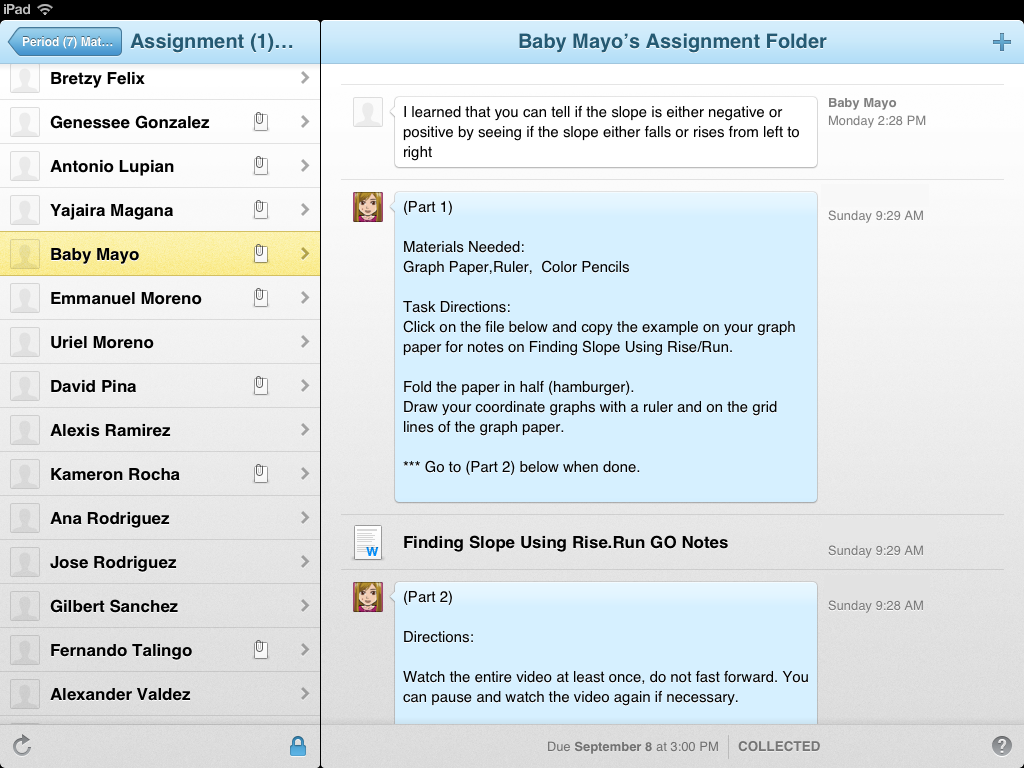
Another reason why I love Showbie is because the students can leave comments.  I utilize this feature to get them writing more in math.

For Example:

And my #1 FAVORITE thing about Showbie is the fact that I can do paperless performance tasks. The students can annotate and leave typed responses and I can annotate and comment back.... Love it.... :o)

Here is an example of this week's paperless performance task. ;o)


Using Educreations
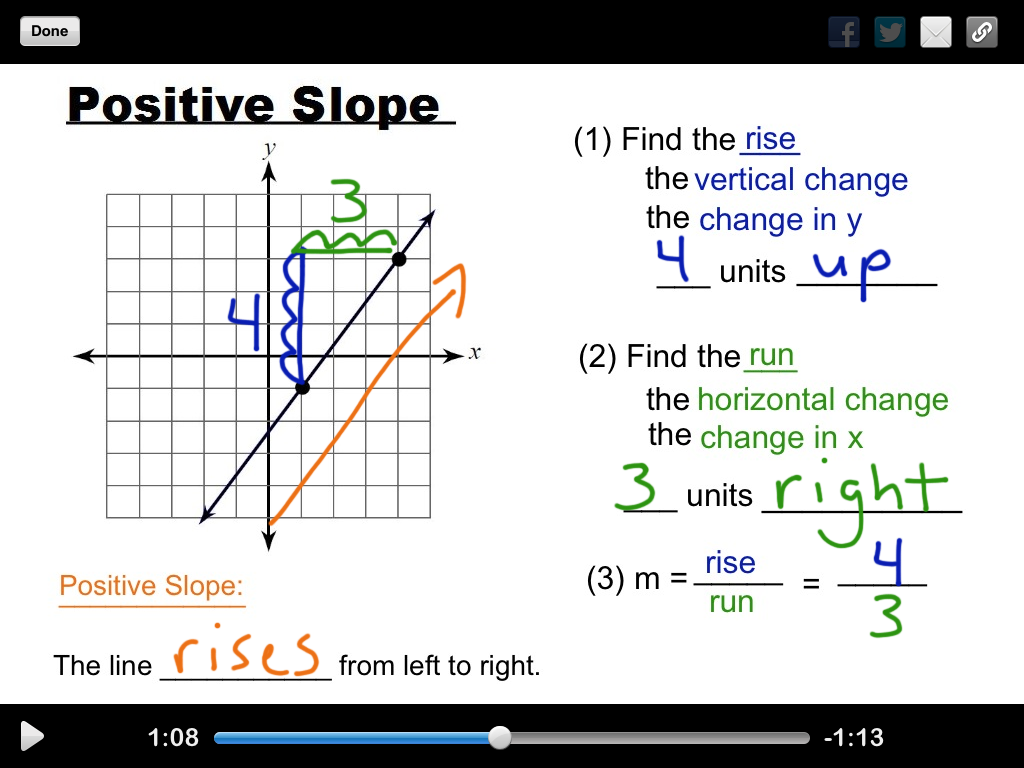
This week the students took notes on Finding Slope and Slope Triangles.  I made video notes using the Educreations app.  The students like to take notes from the videos because they can pause the videos and they can watch the videos more than once. :o)

Here are examples of the video notes:
                     

The students using Educreations.

Using Socrative
This week in Socrative the students did self-paced practice problems on Finding the Slope of a Line Using Rise/Run.

I like to have the students do the practice problems on paper because I have them turn the practice problems in and I can look at their work and check for understanding. I give the students directions on how to set their paper up in Showbie, and then they then sign on to Socrative to do the practice problems.

Here are some examples of the self-paced practice problems.


The students using Socrative.

If you would like to try my self-paced lesson on Finding the Slope of a Line in Socrative,
here is the import code:  SOC-12744367

Using School21
I like using School21 for the students to practice concepts.  The students like the practice because they get immediate feedback and they have a goal of getting 10 questions correct in order to reach "Mastery". The students use graphing whiteboards to do the practice problems when they use School21.

Here are some examples of the questions on Finding Slope.


Introducing ClassFlow
This week I introduced a new resource to my Math Support Resources Line Up.... I learned about this resource this summer at a Technology Bootcamp.... Way Awesome.... :o)

This great new resource is Promethean's ClassFlow.  I do love my Promethean products... My Promethean board, ActivInspire, ActivExpressions, and ActivEngage2....  I am very fortunate to have access to awesome technology to use in my classroom.... :o)  But the coolest part about ClassFlow is that you do not need any Promethean products to use it and it is FREE....

You use ClassFlow's website to create and deliver a variety of interactive lessons... ClassFlow can be used to deliver whole class interactive and engaging lessons... (I have not done this yet.. I will blog when I do)

ClassFlow can also be used to create self-paced assessments.... Of course I create what I call self-paced lessons for the students to practice applying mathematical concepts.   In ClassFlow when you create the self-paced lessons you can choose from a plethora of question types..  :o)  For example:  multiple choice, true/false, short text answer, long text answer, a number answer, sort, math formula and of course my absolute favorite called Creative Response.

Creative response is my favorite because it allows the students to write and annotate on the the diagram in the question. There is a tool bar in the question that has a pen, text, shapes and lines.  This is way cool for math questions, especially when graphing....

Here is an example of what the student question would look like:

Students using ClassFlow and the Creative Response Self-paced lesson.

If you would like to try my ClassFlow self-paced lesson on Finding the Slope of a Line Using Rise/Run, use this link and click share it will save to your ClassFlow.   http://cfsha.re/1qSKu7E


Thanks for stopping by and checking out my week using 1:1 iPads in a Math Classroom... :o)

Saturday, September 13, 2014

My Students, Team Tasks and Mathematical Discourse


I have blogged in detail about my classroom structure and how I implement my "Team Tasks". In the Team Tasks that I have designed it is not just about an answer, but more importantly it is about the mathematical discussion, and the reasoning and justification.

My students have done a couple of Team Tasks so far this year, and they are starting to learn how to work collaboratively.  My Team Tasks are not independent worksheets that are done in a group setting.  The Teams work together and are to discuss all aspects of the Task as a Team.  My students are expected to do the Task exactly as it says and each Team Member is expected to be the Team Mathematician when it is their turn.  It is the Task Manager's job to guide the Task and to make sure it is being done as expected.  The Teams are to be doing all aspects of the Task at the same time.  No Team Member is allowed work a head of the rest of the Team.

It is a lot of work to train the students how to work effectively during "Team Tasks" in the beginning. I spend a lot of time reiterating my expectations throughout the "Team Tasks" and modeling how it should look.  I tell my students that I want to hear the academic vocabulary and I want to see the Teams working together.   This part of the Team Tasks still needs work, but the students are off to a good start.... :o)

As I walk around and listen to the Team Discussions throughout the Team Task allows me to CFU and to intervene if their is any misconceptions, encourage and motivate when they struggle and to compliment when they are understanding and explaining it well... :o)

My Team Tasks require the students to read, reason and write throughout the tasks.  I use color-coding that coordinates with their guided notes to help the students make the connections with the mathematical concepts.

The first Team Task was on Finding the Slope of a Line using Rise/Run.

The second Team Task was on Finding Slope Using Slope Triangles.


Sunday, September 7, 2014

Post It! PROVE It! Journey Through STRUGGLE ....


My students are in Week Two of my new Post It! PROVE It! idea.... They are getting better with their justifying but there still is a lot of work to do.  I have decided to give them sentence frames to help with the structure of their written responses.  Using the sentence frame is optional.  Some of my choose to write their own.  I am working on their responses being precise when they are explaining their reasoning.

I have also tweaked how I have my students Post It!  I have decided to use my Promethean Clickers. I don't know why I didn't think of that in the first place... But I love it.... The teams work out the problem and Post their answer using the Team Clicker.  After the teams discuss their reasoning, the recorder/reporter writes the team's written response on their team whiteboard.  With the clickers I can see at a glance which teams have Posted and which teams have not.  After all of the teams have Posted, the data comes up on the flipchart.  Way cool... I love my technology..... :o)

Here are examples of this week's Post It! PROVE It! questions.


Here pictures of my students doing the Post It! PROVE It!


My journey through my new Post It! PROVE It! idea is getting better.... My students are starting to buy in a little more, but there are still some that really struggle on justifying their reasoning.... It is also taking a lot of time at the beginning of class, but I am determined to persevere because I know this is so beneficial for my students.... :o)